Receive, assign and share studies in one cloud PACS See how it works
The cloud PACS that brings imaging together.
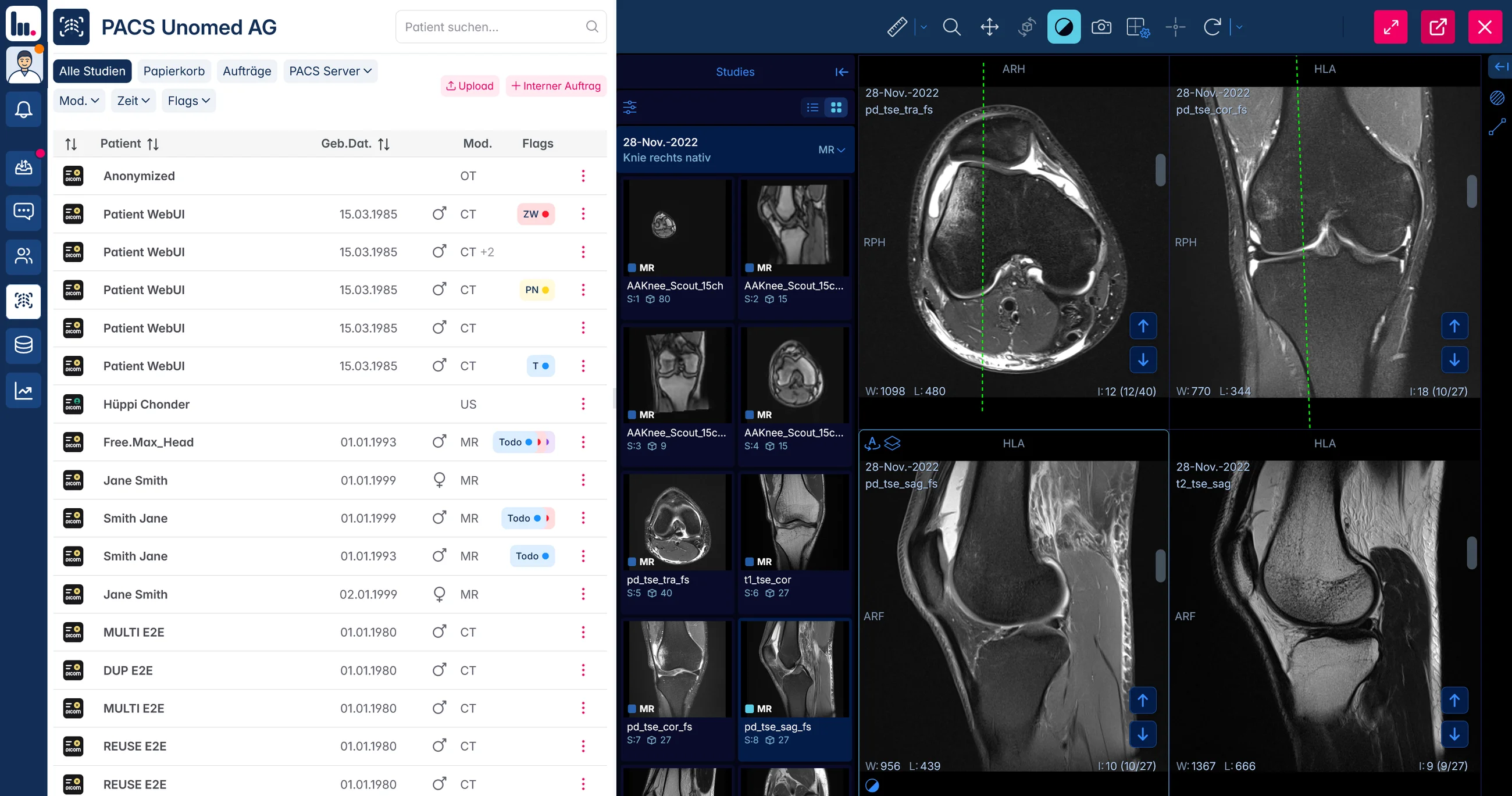
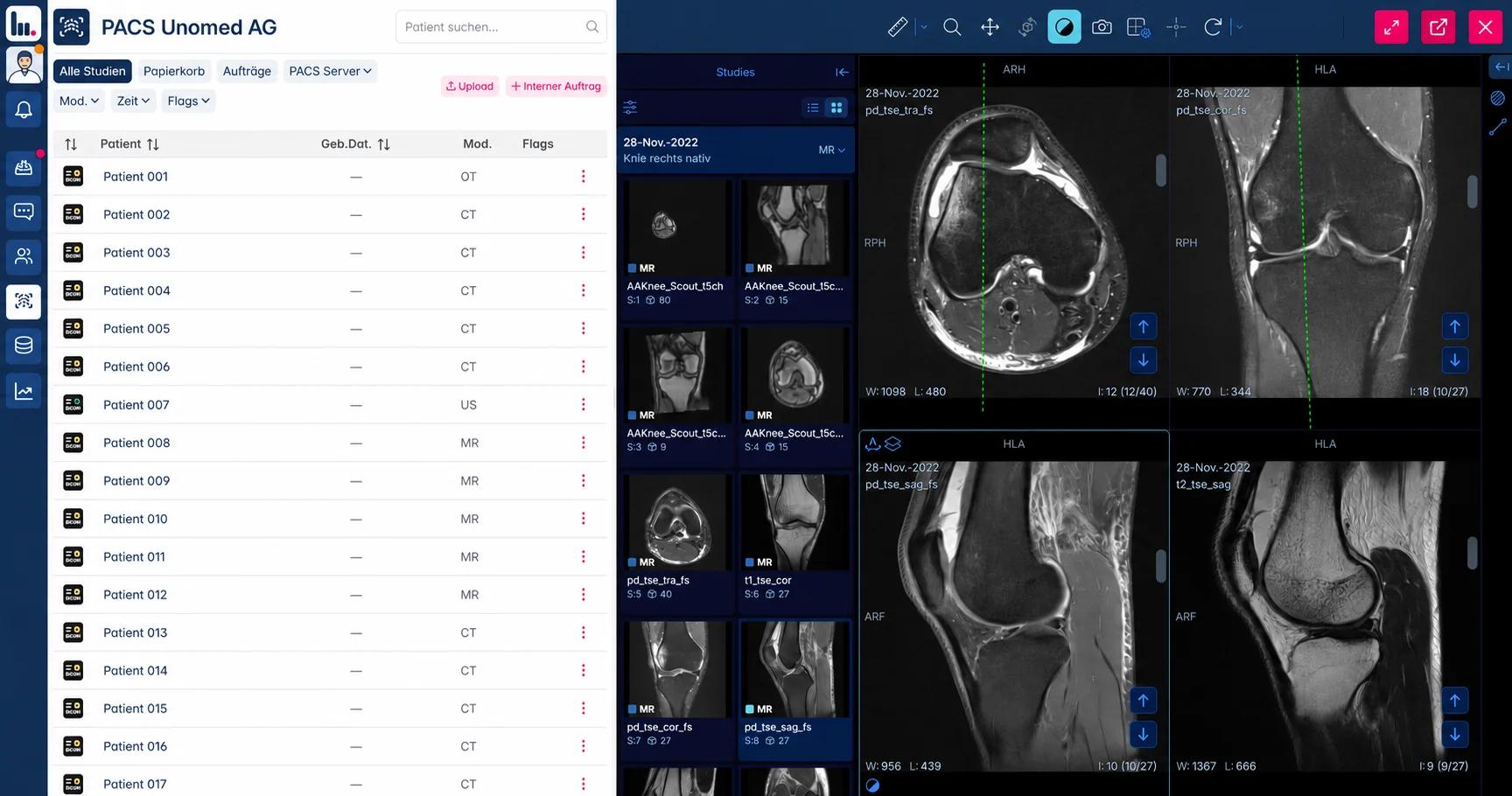
Receive studies from connected modalities and imaging partners. UnoPACS proposes the patient, your team confirms, and the images open in the browser. One archive for the work around every study.
- Patient matching with review
- No viewer installation
- Your archive, exportable as DICOM
- from first connection to reading
- 1–3 days from first connection to reading Typical rollout
- less handling on studies from outside
- > 60 % less handling on studies from outside Internal benchmark
- viewer applications to install
- 0 viewer applications to install Browser-based viewing
- standard DICOM, yours to take with you
- 100 % standard DICOM, yours to take with you Contractual
One archive for everything that produces an image
- X-ray
- Ultrasound
- CT
- MRI
- Mammography
- DEXA
- Fluoroscopy
- Endoscopy
- Nuclear medicine
- Cone beam CT
- Intraoral
- OCT
Any DICOM-capable device connects, whoever made it. Studies from hospitals and imaging centres arrive the same way.
Cloud PACS software
One route from the imaging device to the next clinician.
A cloud-based PACS stores and organises DICOM studies centrally. UnoPACS connects that archive to your incoming studies, patient records and browser viewer. Start with the workflow your team needs, then agree the connections and rollout.
Receive and assign
Connect agreed DICOM sources through a connector in the practice network. Review incoming studies and confirm the proposed patient assignment before filing.
Open and share
Authorised users open studies in the browser on a workstation or laptop. Share the relevant examination with a colleague or through a time-limited guest link.
Plan the change
List your existing archive, interfaces and study volume. Agree which history to migrate, what remains in place and how to test the connection before everyday use.
The problem
Imaging is not the hard part. Everything around it is.
A study takes seconds to acquire and half a morning to handle. That cost is invisible because it is spread across the day, one small interruption at a time.
- 01
Outside studies arrive as work
A study from a hospital or an imaging centre has to be downloaded, imported, opened, checked, and filed under a patient. Every single one, by a person.
- 02
The same patient, looked up twice
Images live in one system and the record lives in another, so every question means two searches, two logins and two windows.
- 03
Sharing still runs on discs
A referral goes out on a CD, through a portal nobody remembers the password to, or as an attachment that is too large to send.
- 04
A server you have to look after
Hardware, licences, updates, backups and the call you make when it stops on a Friday. None of it treats a patient.
The study inbox
Outside studies, ready for your team.
Receive studies from connected sources in the inbox. Check the study, assign it to the right patient and open it in the viewer. With a patient open, the list can show how well an incoming study matches that patient.
Explore the study inbox-
Receive
Studies from agreed imaging sources arrive together. Review the patient details, examination and date before assigning.
-
Assign the patient
Choose the patient record. When a patient is already open, use the patient-specific match information to check the assignment.
-
Open the study
After confirming the assignment, continue with the images and the patient’s available studies in the viewer.
The platform
One platform, from the machine to the referrer.
Not six products with an integration project between them. One archive, one viewer, one set of permissions — and an API for everything you want to build on top.
-
Vendor-neutral cloud archive
Keep studies from connected practice devices beside examinations sent by imaging partners. Find prior studies in the archive and export the original DICOM files.
- Unlimited retention tiers
- Prior studies in seconds
- Export as DICOM at any time
-
Zero-footprint viewer
Open the assigned study from the archive, review its series and return to the patient workflow. Viewing takes place in the browser, without installing a separate viewer application.
- Multi-pane MPR layouts
- Measurements and annotations
- Bring your own viewer if you prefer
-
Study inbox with matching
Incoming studies arrive with a proposed patient assignment. Your team reviews the match and confirms where the study belongs.
- Handles spelling and duplicates
- Confidence shown, never hidden
- A person always confirms
-
Sharing and referrals
Send a study to a colleague, a referrer or a patient with a link instead of a disc. Recipients without an account get a time-limited guest view.
- Encrypted, expiring links
- Replies in the case thread
- No account needed to view
-
Integrations and API
UnoPACS sits on top of the systems you already run rather than replacing them, and exposes the same functions to your own software.
- DICOM store, query and retrieve
- Open a study from your EHR
- REST API for your own build
-
Roles, audit and control
Who may see what is set per person, not per installation, and every access is recorded.
- Per-person permissions
- Full access log
- Encrypted in transit and at rest
How it works
Four steps, then it runs.
From the first connection to a study on a referrer's screen. Set up once, and after that nobody thinks about it.
-
Connect
Your modalities connect through a small connector in the practice network. Hospitals and imaging centres send straight to your archive. Existing PACS and RIS connect rather than being replaced.
-
Receive
Everything arrives in one archive. Studies from outside land in the inbox already matched to a patient; studies from your own devices are filed the moment they are acquired.
-
Read
Open the study in the browser, from your EHR or straight from the patient record. Priors are next to it, without a second search.
-
Share
Send it on with a link. Colleagues see it in their own archive, referrers and patients in a guest view, and the questions come back in the same thread.
What you already run stays. Connecting an existing PACS is a configuration, not a migration.
Who it is for
Built for teams that read more than they archive.
The value is in the handling, so the fit is best wherever images arrive from more than one place.
-
Imaging centres
High volume in, reports out, and referrers who want the study before the letter arrives.
-
Orthopaedics and sports medicine
The outside MRI on screen while the patient is still in the room.
-
Group practices and medical centres
One archive across every site, with nothing for anyone to run locally.
-
Hospitals and departments
A cloud layer over the existing PACS for everything that has to leave the building.
-
Teleradiology and reading groups
Readers work from anywhere in a browser, with permissions set per person.
-
Veterinary imaging
The same workflow, without the parts built for human record systems.
Not on the list? Tell us how images reach you today and we will say plainly whether this fits.
Security
Your images stay yours. Including on the day you leave.
Patient imaging is the most sensitive data a practice holds. The way we treat it should be boring, verifiable and written down.
Read the security overview-
Hosted in Switzerland
Stored and processed in certified Swiss data centres, under Swiss data protection law. Other regions on request.
-
Encrypted end to end
Encrypted in transit and at rest. The viewer runs in the browser and leaves nothing on the machine.
-
Standard format, no lock-in
Your archive is standard DICOM. Take it out whenever you want, without a project and without a fee.
-
Access you can prove
Permissions per person, and a log of every access you can hand to an auditor.
Getting started
Live in days, not in a project plan.
A classic PACS installation is a capital project with a kick-off meeting. This is a connection you make in an afternoon.
| What it takes | UnoPACS | A classic PACS project |
|---|---|---|
| Hardware on site | None | Server, storage, redundancy |
| Installation | A connector in the practice network | Setup fee, engineer on site, licences |
| Time to first study | 1 to 3 days | 30 to 120 days |
| Updates | Included, continuous | Scheduled, in the maintenance contract |
| Backups | Included | In the maintenance contract |
| Scaling up | Storage grows, no new contract | A new purchase |
| Migrating your archive | Optional, we bring it across | Charged by the hour |
| Leaving | Export as DICOM, no fee | A project in its own right |
Guide figures. What it actually takes depends on how many image sources, sites and interfaces are involved, and on how much history has to come across.
Pricing
Priced like software, not like a capital project.
A monthly price that covers the platform, the updates and the backups. Storage grows with you instead of triggering a new purchase, and there is no fee for leaving.
- No setup fee and no minimum term
- Storage that scales without a new contract
- Every plan includes the viewer and the inbox
- Migration quoted up front, never by the hour
Questions
The things people ask before the first call
Short answers. If yours is not here, ask it in the demo and you will get the same kind of answer.
What is a cloud PACS?
UnoPACS combines an online DICOM archive with a browser viewer and a study inbox. A connector links the agreed imaging sources; your team reviews proposed patient assignments before filing. The same archive supports finding prior studies and sharing an examination with the next clinician.
How does the automatic patient matching work?
When a study arrives, UnoPACS compares what the DICOM header carries — name, date of birth, accession number, referring order — against your patient records, and proposes the one it belongs to with a confidence figure. It holds up under a different spelling, a married name, a duplicate record or a transposed date. A person always confirms; nothing is filed silently.
Which devices can I connect?
Any DICOM-capable modality, whoever made it: X-ray, ultrasound, CT, MRI, mammography, DEXA and the rest. A small connector in your network handles the link, and it is installed once.
Do I have to replace my existing PACS?
No. UnoPACS can sit on top of what you already run and take over the parts that have to leave the building — receiving from outside, sharing, and reading away from the workstation. Replacing it is an option, not a requirement.
Can I get my data back out?
Yes, at any time, as standard DICOM, without a fee and without a project. That is the point of a vendor-neutral archive: leaving has to stay cheap, or the promise is worthless.
Does anything have to be installed?
Not for reading. The viewer runs in any modern browser and leaves nothing on the machine. To connect your own devices, one small connector is installed once in the practice network.
Where is the data stored?
In certified Swiss data centres, encrypted in transit and at rest, under Swiss data protection law. Other regions are available on request — tell us which jurisdiction you have to satisfy and we will tell you plainly whether we can meet it today.
How long does it take to go live?
Typically one to three days from the first connection to reading your first study. What stretches that is the number of image sources and sites, and whether historical studies have to be migrated.
Can I share studies with someone who has no account?
Yes. They get a time-limited guest link by email and open the study in their browser. Colleagues who are on UnoPACS see it in their own archive instead, and replies come back in the same thread.
What does it cost?
A monthly platform price with storage that scales, no setup fee and no minimum term. The plans and what each includes are on the pricing page.
Next step
See it on your own studies.
Thirty minutes, your workflow, our screen. You will see the inbox match a real study and can decide from there. No preparation, no obligation.
- No sales script
- No IT knowledge needed
- A straight answer on fit